Describe the first draft
Connect a compatible AI assistant through MCP and describe the characters, setting and action. Or start by arranging the scene yourself in your browser.
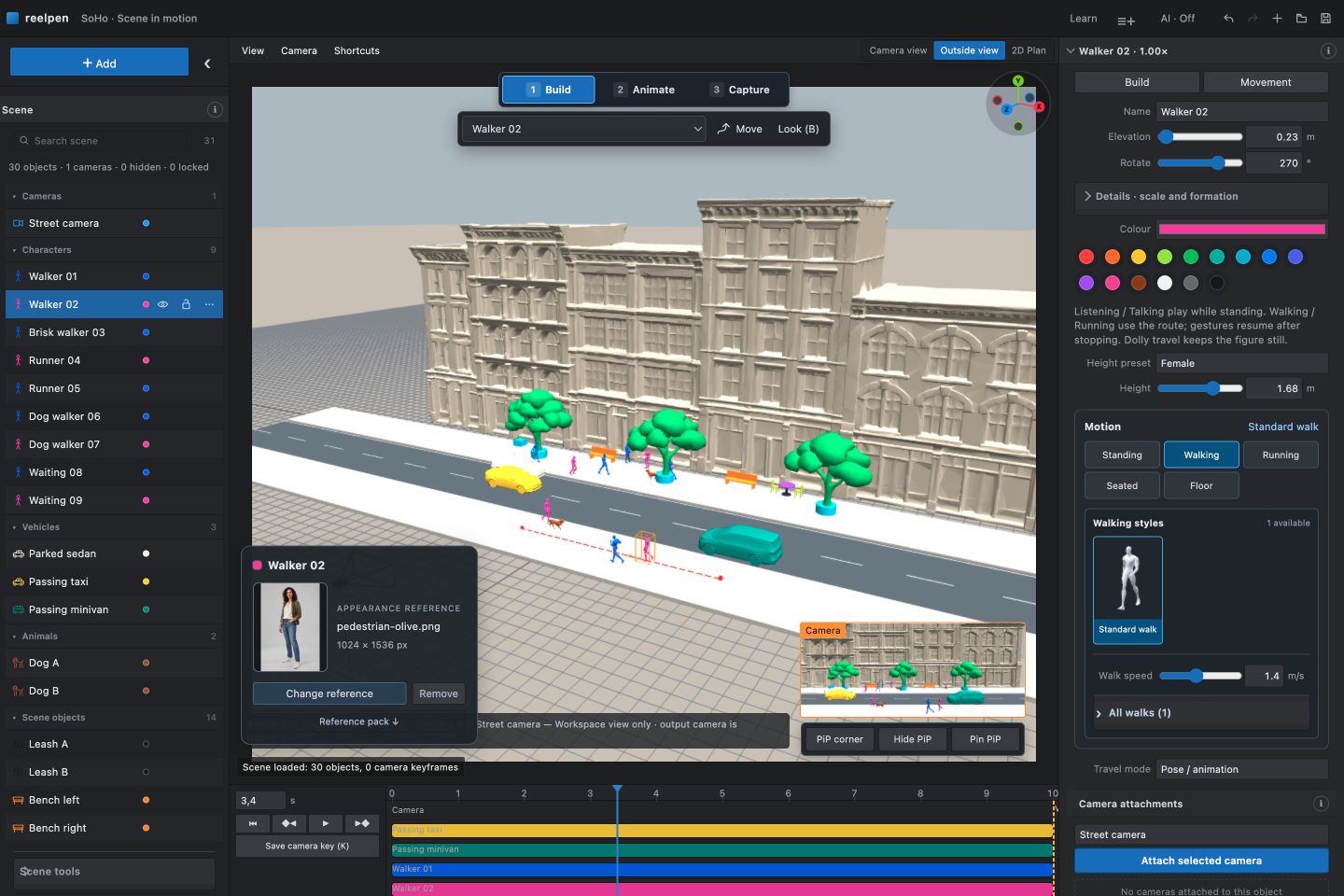
Let your connected AI assistant build an editable 3D scene. Refine camera angles, character movement and timing by hand, then export a reference for your AI video generator.
Free beta. No credit card required. Sign in with Google to save your scenes. External AI generation is separate.
A Reelpen scene on one side. The AI video made from it on the other. Drag the line to compare the same moment.
 REELPEN
AI RESULT
REELPEN
AI RESULT
Connect a compatible AI assistant through MCP and describe the characters, setting and action. Or start by arranging the scene yourself in your browser.
Adjust the camera angle, edit the movement path and refine the timing in the same 3D scene. Preview the shot and ask your assistant for another change whenever you need one.
Export your reference video and keyframes. Use the inputs your generator supports to create the final look and style.
Turn the scene in your head into a reference you can see, adjust and bring to your AI video workflow.
Build with characters, vehicles and environment pieces. Arrange the scene and focus on the shot you want.
Follow a character, frame a close-up or move through the scene. Check the camera preview while you work.
Keep the placement, movement and framing in your reference. Choose the visual style in your AI video generator.
The current beta is free and requires no payment method. See beta access and storage limits. External AI video services have their own charges.
Reelpen builds editable 3D scenes, camera shots and motion references. Export video or PNG frames, then use a video service that supports those inputs to create the final appearance.
Yes. A compatible AI assistant connected through MCP can arrange objects and direct motion and cameras in the scene you allow. You can then refine the result in Reelpen's editor. The assistant is a separate service; follow the AI connection guide before asking it to build.
Character routes, turns and sit–stand actions; prop placement; and camera framing and movement. Start with one shot and preview it before exporting. Read the character motion guide.
The editor runs in your desktop browser. Sign in to save projects. Your scene stays editable, so you can refine a reference without rebuilding the shot.
Connect Claude or Codex to arrange scenes, direct motion and cameras, and organize film boards.
Make walking, turns and sit–stand timing visible before generation.
Read the guide →Choose the output that explains your shot and your model accepts.
Read the guide →Describe the shot. Let your AI work in your editable 3D scene.
Read the guide →Ask AI for a first draft, then refine the 3D scene yourself.
Read the guide →Plan a moving shot and keep its subject in frame.
Read the guide →Make blocking and camera angles clear before generation.
Read the guide →